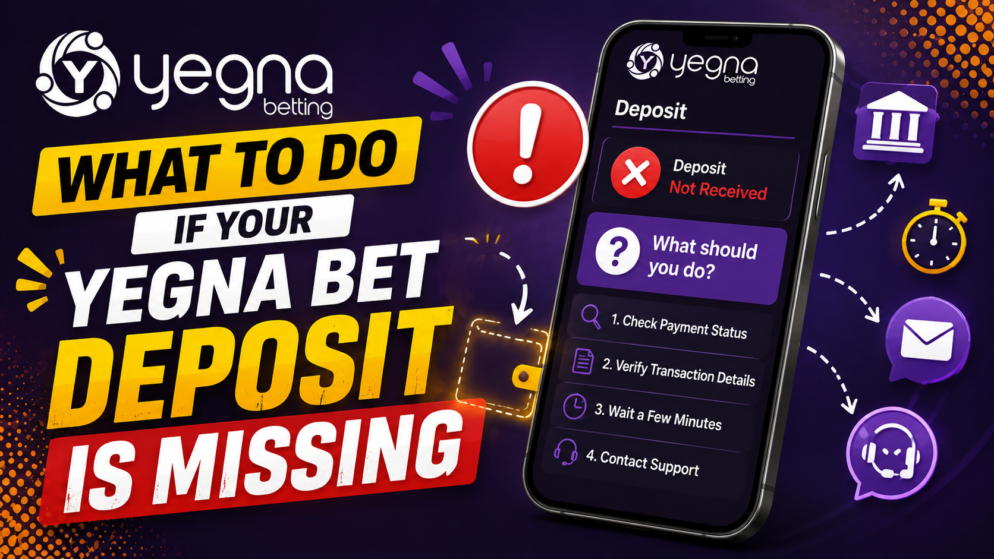
Making a deposit into your Yegna Bet account should normally result in the funds appearing in your available balance after the payment has been processed. However, payment delays or technical issues can sometimes occur. If you have completed a deposit but the money is not showing in your Yegna Bet balance, it is important not to immediately repeat the transaction. Instead, check the payment carefully and gather the information needed to investigate it.
Check Whether the Payment Was Completed
The first step is to confirm that the transaction was actually successful. Open the banking, mobile money, or other payment service you used and review the transaction status.
A successful payment should normally have a confirmation or transaction record. If the transaction is marked as pending, the payment provider may still be processing it. In this situation, the deposit may not yet have reached Yegna Bet.
If the transaction is marked as failed or cancelled, check whether the amount was actually deducted from your payment account before attempting another deposit.
Check Your Yegna Bet Balance Again
If your payment provider confirms that the transaction was completed, log out of Yegna Bet and sign in again. You can also refresh the website or reopen it on your phone.
Check both your account balance and any available transaction or deposit history. This can help establish whether the deposit has been recorded but the displayed balance has not yet updated.
Avoid submitting the same deposit several times while investigating the original transaction. Doing so could result in multiple payments being processed.
Verify the Deposit Details
Review the information entered when making the payment. Make sure that you used the correct payment details and followed the deposit instructions shown by Yegna Bet.
When reviewing the transaction, pay particular attention to the amount, date, payment method, account information and transaction reference. These details can be useful if you need assistance.
Ethiopian players should also confirm the transaction directly with the bank, mobile payment service or other provider they used if there is uncertainty about its status.
Allow Time for Processing
Not every payment method processes transactions at exactly the same speed. Temporary delays can occur because of payment-provider processing, network problems, maintenance or technical interruptions.
If your payment is confirmed but has only recently been completed, allowing some additional processing time may resolve the issue without further action.
However, if the funds remain missing longer than expected, you should contact customer support rather than repeatedly trying to deposit again.
Prepare Proof of Payment
Before contacting Yegna Bet support, collect the relevant transaction information. Useful details may include:
- the amount deposited;
- the date and approximate time of the transaction;
- the payment method used;
- the transaction or reference number;
- confirmation that the amount was deducted;
- a screenshot or receipt showing the completed payment.
Do not share passwords, PINs, verification codes or other sensitive login credentials. Legitimate payment investigations should not require you to disclose your password.
Contact Yegna Bet Customer Support
Provide Yegna Bet support with a clear explanation that your deposit was deducted or confirmed by the payment provider but has not appeared in your betting account. Include the relevant transaction information and any proof of payment requested through the appropriate support channel.
Providing complete and accurate information can make it easier for the support team to identify the transaction and determine what happened.
If necessary, you can also contact your payment provider and ask whether the transaction was successfully delivered to the recipient or remains pending.
Final Advice
A missing Yegna Bet deposit does not necessarily mean that the funds have been lost. Processing delays and unsuccessful transactions can occur with online payments. Confirm the payment status first, check your Yegna Bet account, keep the transaction receipt and contact support if the balance does not update.
Most importantly, avoid making repeated deposits simply because the first one has not appeared yet. Investigating the original transaction first reduces the risk of duplicate payments and gives you the information needed to resolve the issue efficiently.