Forgetting your Yegna Bet password can prevent you from accessing your betting account, but in most cases, account access can be restored through the platform’s password recovery process. Ethiopian users who encounter login problems should use the official recovery options and avoid creating a second account simply because they cannot remember their password.
This guide explains the typical steps to follow when resetting a forgotten Yegna Bet password and what to do if the normal recovery process does not work.
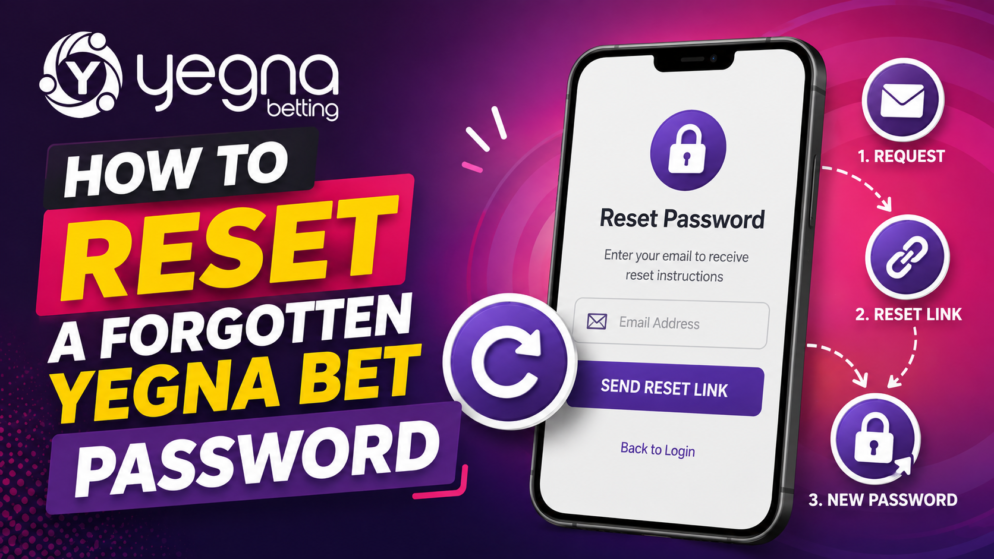
Start From the Yegna Bet Login Page
The first step is to open Yegna Bet and navigate to the login section. Instead of repeatedly trying different passwords, look for the password recovery or forgotten-password option available around the login area.
Select the relevant recovery option and follow the instructions displayed on the screen. The exact wording and sequence can change as the platform updates its interface, so users should rely on the current instructions shown by Yegna Bet.
Enter Your Registered Account Information
To recover access, you may need to provide information associated with your Yegna Bet account. Make sure you enter the same details that were originally used when the account was created.
Accuracy is important. If the information does not correspond with the account records, the recovery process may not proceed successfully. Double-check for typing errors before submitting any details.
Depending on the recovery method currently provided by Yegna Bet, additional instructions may then be sent or displayed to help you verify that you are the account holder.
Follow the Password Reset Instructions
Once you receive the relevant password recovery instructions, complete the requested steps carefully. If a verification code or recovery link is provided, use it only through the official Yegna Bet process.
When choosing a new password, avoid passwords that are easy to guess. A stronger password generally combines different types of characters and should not be identical to passwords used for email, banking, social media, or other important accounts.
After creating the new password, return to the login page and try signing in using your registered account information and the new password.
What If You Do Not Receive the Reset Instructions?
If the expected recovery message or code does not arrive, first confirm that you entered the correct registered information. Allow some time for delivery before making repeated requests.
Users should also make sure their mobile device has an active network connection if the recovery process depends on mobile communication. Avoid requesting numerous codes in rapid succession, as this may complicate the process or cause earlier codes to become invalid.
If the problem continues, the next appropriate step is to contact Yegna Bet customer support through the support channels currently provided on the platform.
Contact Yegna Bet Support When Necessary
Customer support may be necessary if you have lost access to the contact details linked to your account, cannot complete verification, or continue receiving an error during password recovery.
Be prepared to provide information that can help support identify the relevant account. However, never send your password to another person. A legitimate password recovery process should allow you to create a new password rather than requiring you to disclose an existing one.
Keep Your Yegna Bet Account Secure
After restoring access, take a few precautions to reduce the risk of another login problem. Store your password securely, avoid sharing login credentials, and always check that you are using the genuine Yegna Bet platform before entering account information.
A forgotten Yegna Bet password does not necessarily mean losing access permanently. Start with the platform’s official password recovery option, follow the verification instructions carefully, and contact Yegna Bet support if automated recovery is unsuccessful. Most importantly, use the opportunity to create a strong, unique password and protect your account credentials going forward.