Using an online betting account should be straightforward, but users can occasionally encounter login, verification, payment, or technical problems. For Ethiopian players using Yegna Bet, knowing how to troubleshoot common account issues can save time and help avoid unnecessary mistakes. Yegna Bet currently provides both pre-match and live betting sections through its online platform.
Here are some practical steps you can take when your Yegna Bet account is not working as expected.
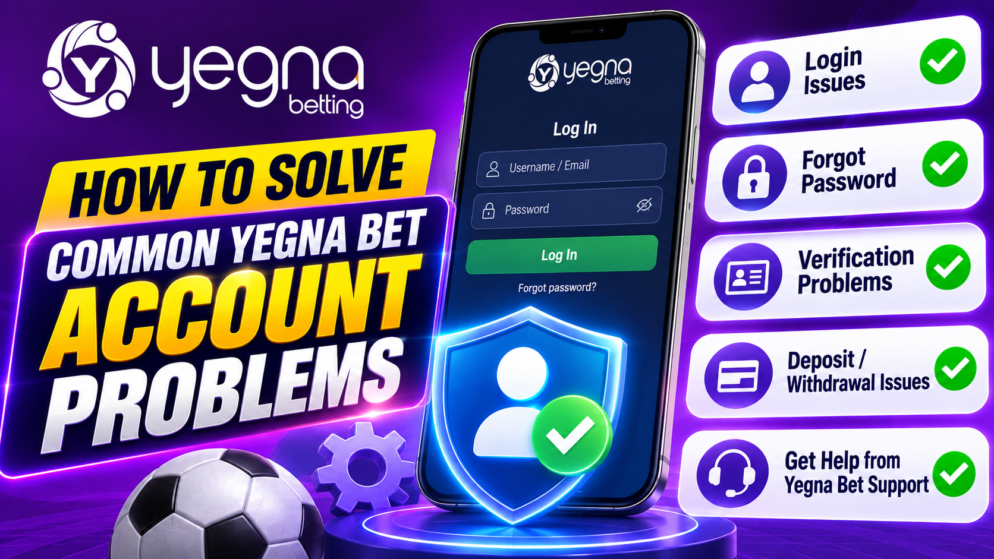
You Cannot Log In to Your Account
Login problems are among the most common issues with online accounts. First, check that you are entering the same credentials you used when registering. A small typing error can prevent successful access.
If your browser has automatically filled in your details, try entering them manually. An old saved password may be causing the problem. You should also make sure that Caps Lock is not affecting your password.
If you have forgotten your password, use the password-recovery option displayed on Yegna Bet rather than repeatedly guessing it. Follow the instructions provided by the platform to restore access securely.
Your Account Is Temporarily Locked
Multiple unsuccessful login attempts or unusual account activity can sometimes result in access restrictions. If your Yegna Bet account appears to be locked, avoid repeatedly attempting to sign in.
Instead, check any messages or instructions displayed by the platform. You may need to complete an additional security or identity check before regaining access.
Never create another account simply to bypass a restriction. Multiple accounts may conflict with a betting operator’s account rules, so resolving the problem with the original account is the safer approach.
Problems with Identity Verification
Betting operators may request identity information to confirm account ownership or satisfy applicable regulatory requirements. Problems can occur when submitted information does not match the details registered on the account.
Check that your name, date of birth and other requested information have been entered accurately. If documents are requested, make sure photographs or scans are clear, complete and readable.
Do not alter documents or submit information belonging to another person. If verification remains pending, follow Yegna Bet’s current instructions or contact its support service for clarification.
Deposit Does Not Appear in Your Balance
If you make a deposit but the funds do not immediately appear, do not automatically submit the same payment again. First check whether the transaction was actually completed by your payment provider.
Keep the transaction reference, amount, date and any confirmation message. These details can be useful if Yegna Bet support needs to investigate the payment.
The payment methods and procedures available to Ethiopian customers can change, so always rely on the options currently displayed inside your account rather than instructions from an outdated third-party guide.
Withdrawal Problems
A withdrawal can sometimes remain pending because additional checks are required or because the payment request is still being processed. Before assuming that something has gone wrong, check the withdrawal status and any notifications associated with your account.
Make sure your account information is correct and complete. If Yegna Bet requests verification before processing a withdrawal, complete the required steps according to the instructions shown on the platform.
Website or Mobile Problems
Not every account problem is actually related to the account itself. A slow connection, outdated browser, corrupted cached data or temporary technical issue can prevent pages from loading correctly.
Try refreshing the website, checking your internet connection or using an updated browser. Yegna Bet currently maintains dedicated sportsbook sections for pre-match and live wagering, so if one area is not responding normally, checking the main platform can help determine whether the problem is limited to a particular page.
When to Contact Yegna Bet Support
If basic troubleshooting does not solve the issue, contact Yegna Bet through the support options currently provided on its official platform. Explain the problem clearly and include relevant transaction or account details, but never share your password.
For security, access Yegna Bet through its official website and be cautious about people claiming they can unlock accounts or process withdrawals in exchange for money.
Most common account problems can be approached systematically: verify your details, check the displayed account status, preserve payment records and use official support when necessary. Taking these steps can help Ethiopian Yegna Bet users resolve issues while keeping their accounts and personal information secure.