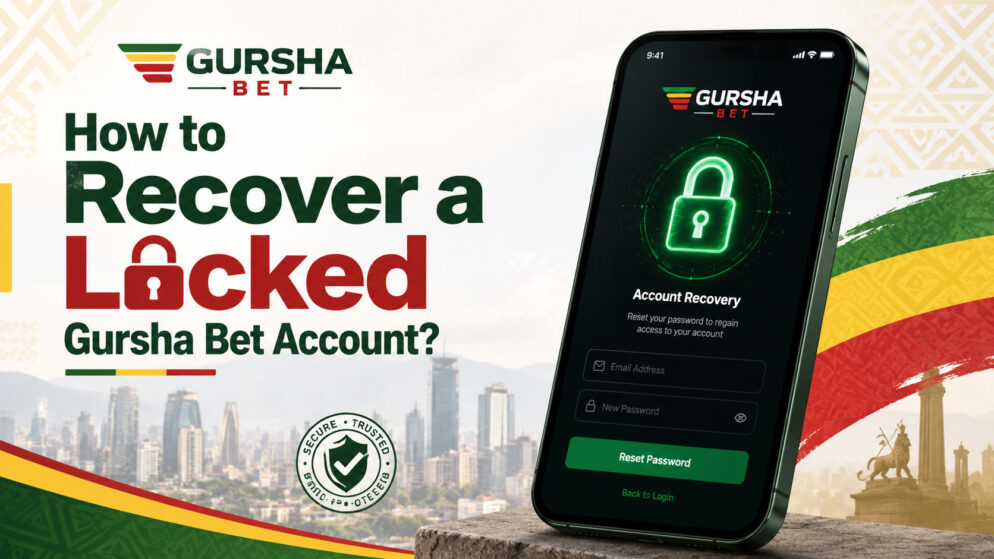
Account locks usually happen for security reasons, such as multiple failed login attempts, logging in from a new device, or unusual activity. The good news is that recovering access is often straightforward when you follow the correct steps.
Step-by-Step Recovery Guide
- Visit the official Gursha Bet website or mobile app and go to the login page.
- Click on the “Forgot Password” or “Account Recovery” link.
- Enter your registered Ethiopian mobile number (starting with +251) or email address.
- Follow the verification instructions. You will usually receive an SMS code or email link to confirm your identity.
- Create a new strong password once access is restored. Combine letters, numbers, and symbols for better security.
If the self-service recovery does not work, proceed to contacting support. Have your account details, phone number, and any recent Telebirr transaction references ready.
Why Gursha Bet Accounts Get Locked
Common triggers include entering an incorrect password several times, accessing the account from different locations, or suspicious login patterns. These locks are temporary in most cases and are designed to prevent unauthorized access rather than punish users.
Don’t worry, your funds remain safe during a lock.
Contacting Gursha Bet Support
The fastest option is usually live chat, available directly on the website or in the app. You can also send an email to support@gursha.bet or use their official social media channels for assistance.
Prepare clear information before contacting them, such as your username, registered phone number, and a description of the issue. Support agents can guide you through additional verification steps.
Preventing Future Account Locks
Use a unique, strong password and avoid sharing login details. Log out after each session, especially on shared devices. If available, enable any two-factor authentication (2FA) for extra protection.
Be cautious with public Wi-Fi networks, as they can trigger security alerts. Regularly check your account activity through the app and keep your Ethio Telecom number active for SMS verifications. These habits are particularly useful for mobile-first users who bet on the go.
What to Do If Recovery Takes Longer Than Expected
In some cases, account recovery may take more time due to high support volume, additional verification requirements, or technical issues on the network side. If you have waited more than a few hours without progress, do not attempt multiple recovery requests in quick succession, as this can extend the lock period.
Document all your communication with support, including chat transcripts or email references. This information is useful if you need to follow up. In the meantime, avoid using unofficial websites or third-party services claiming to unlock accounts, as these are often scams that can compromise your personal information or linked Telebirr wallet.